> For the complete documentation index, see [llms.txt](https://fiveelementslabs.gitbook.io/tide/llms.txt). Markdown versions of documentation pages are available by appending `.md` to page URLs; this page is available as [Markdown](https://fiveelementslabs.gitbook.io/tide/projects/rewards/tide-referral-program.md).
# Tide Referral Program
### Overview
Inviting friends not only grows the community but also rewards. Users will find a unique invite link in the Space.\
\
Every Tide Space has a Referral mechanism that is already implemented natively and rewards users for doing tasks on that Space.
### Basics
Tide offers users the possibility of inviting friends to participate in a campaign by sharing a referral link.
\
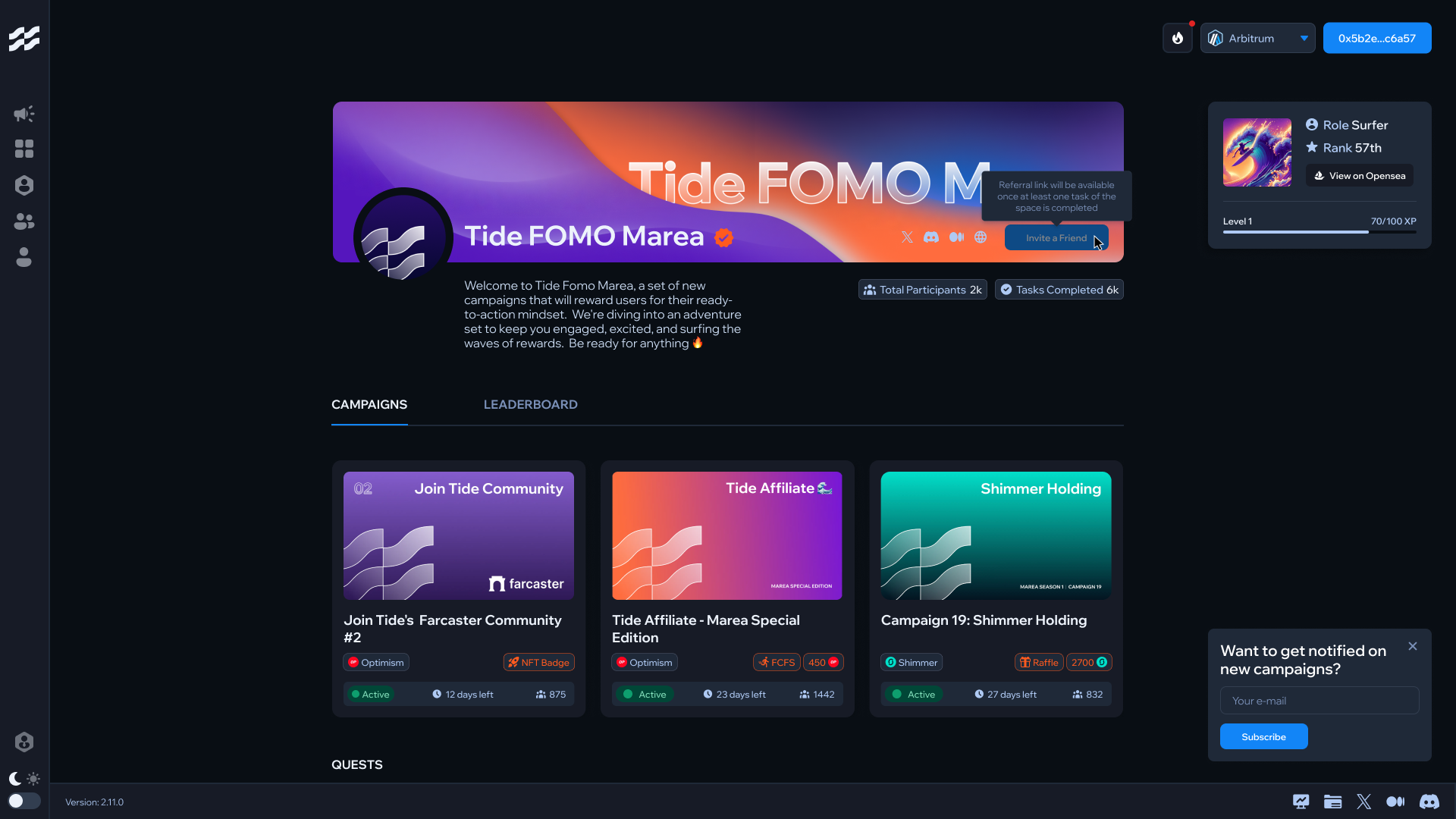
**Getting Your Invite Link:** The link is present on the top right side on the Space section. (image below)
### What is a Referral on Tide
A "Referral" on Tide is a flow in which a user creates an invite for a friend to join a specific Project's Space (from now on, "Space").
### Referral flow
1. The referral flow begins when a user (from now on, "Sender") clicks on the "Invite a friend", which generates an Invite link specific for the space. (e.g. )
2. If a user (from now on, "Receiver") clicks on the Invite link, an association is created between the Sender and its Receiver
3. The flow ends when the Receiver completes a task or quest on the given Space. From that very moment, an XP bonus is assigned to both the Sender and the Receiver.
4. The referee receives the same XPs earned by the referred.
NB: the referral link users share is specific and valid only for the space the link was taken from.